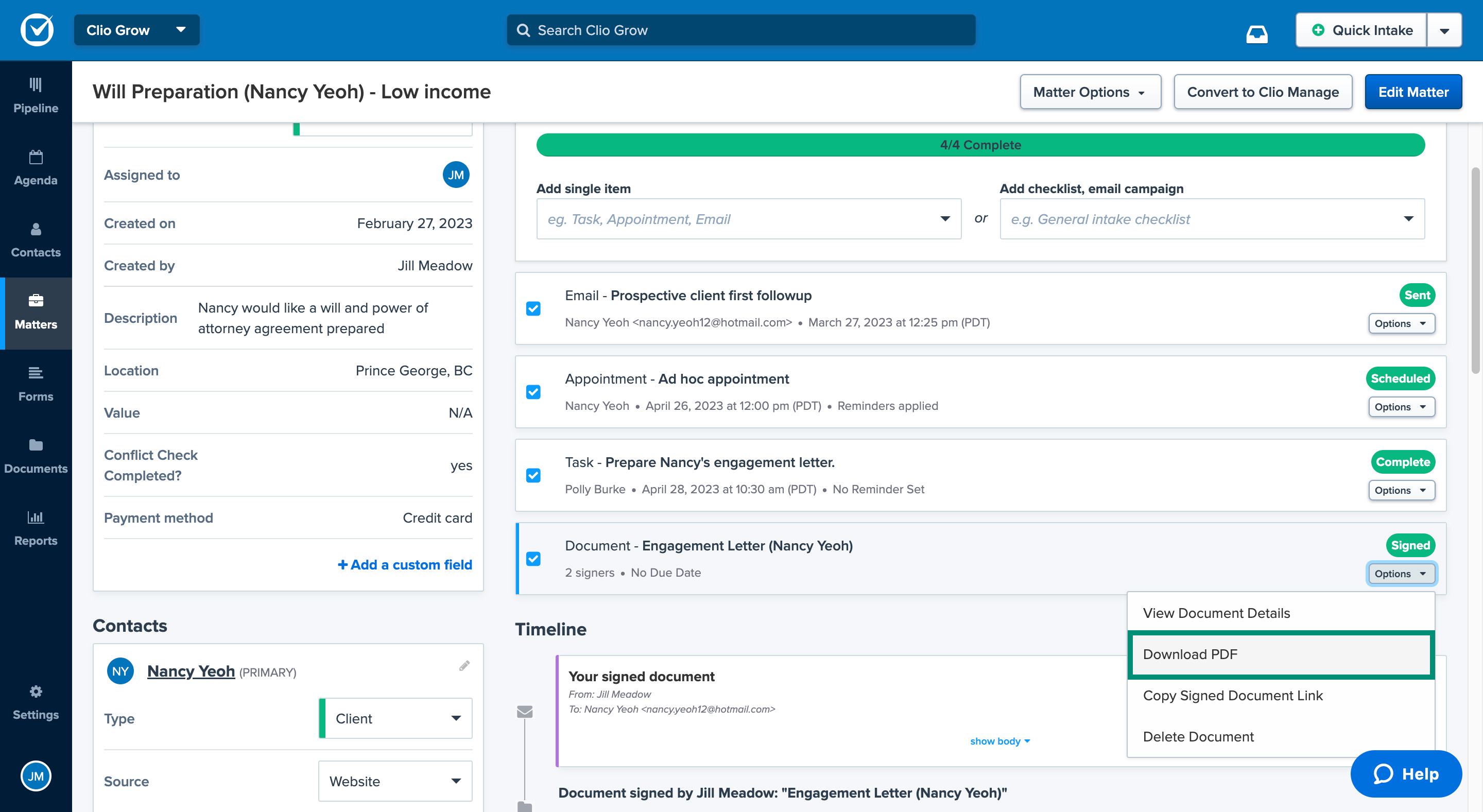
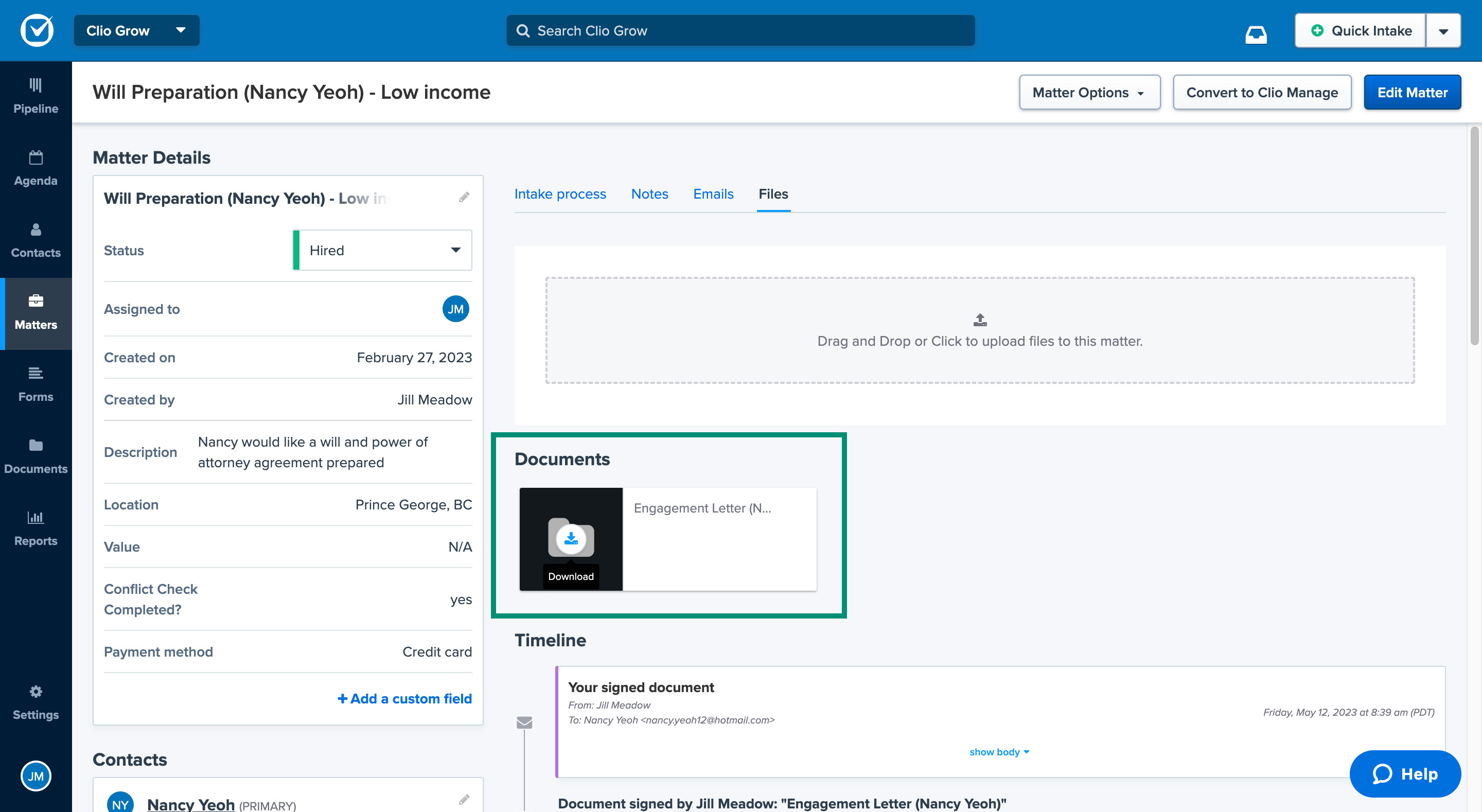
After all signees have signed the document, you can view and download the completed document as a PDF file from the matter’s intake process page, from the matter’s files page, or from the Documents tab.
Via matter's intake processVia matter's filesVia Documents tab
Go to the matter in Clio Grow.
Find the document task under the Intake process section.
Click the Options dropdown and select Download PDF.
Go to the matter and select the Files subtab.
Find the document under the Documents section.
Hover over the white document icon on the black background and click Download.
Go to Documents > Submitted.
Click the document’s name.
Click Actions and then select Download PDF.
Still have questions?
For immediate answers, connect with our AI Support Agent, available 24/7 directly in our in-app chat. Learn more.
You can also get personalized support from the largest and most experienced team in the industry. Our experts are available 24 hours a day, 5 days a week. Find out how to get in touch.
Learn Clio faster with live, interactive training. Get the essential skills to manage your practice efficiently—whether you're just starting or refining your workflow.